


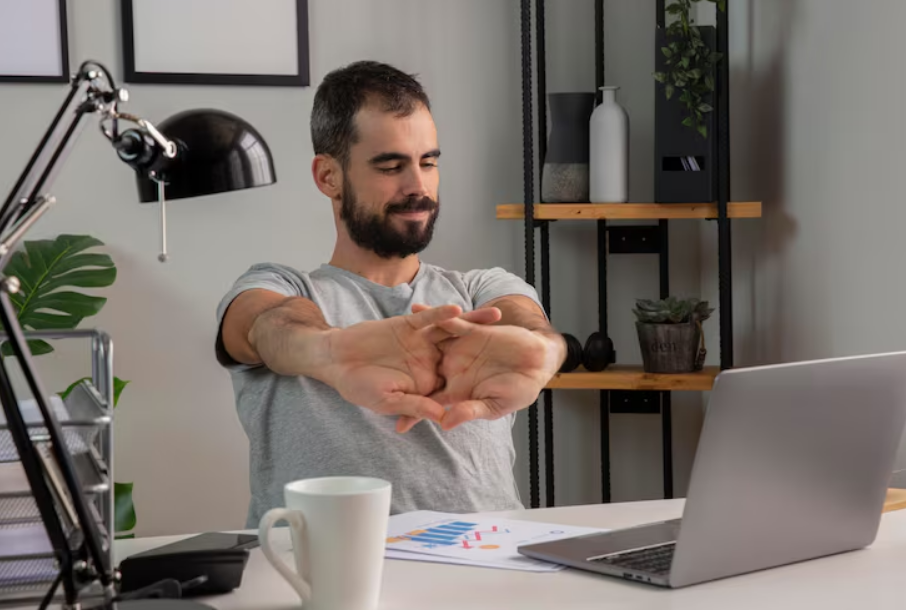
The transition to remote work has revolutionized the modern professional landscape, offering unprecedented flexibility and eliminating tedious daily commutes. However, this shift has also introduced a hidden physical toll. Without the standardized ergonomic setups traditionally found in corporate environments, many remote workers find themselves hunched over laptops on dining tables, couches, or poorly designed home office desks. Over time, this sustained sedentary behavior and suboptimal positioning lead to muscular imbalances, chronic pain, and severe postural degradation.
Addressing this modern occupational hazard requires more than simply purchasing an expensive ergonomic chair. It demands a proactive approach to physical health through targeted, consistent movement. Understanding the biomechanics of sitting, recognizing the signs of postural decline, and implementing effective desk exercises can dramatically improve physical well-being. By integrating evidence-based movement strategies into the daily workday, remote professionals can counteract the negative effects of prolonged sitting, enhance their overall productivity, and safeguard their long-term musculoskeletal health.
The Biomechanics of Sedentary Behavior and “Tech Neck”
To effectively correct poor posture, it is essential to understand the structural changes that occur in the human body during prolonged sitting. The human spine is designed for dynamic movement, not static compression. When an individual remains seated for hours, particularly leaning toward a computer screen, a cascade of muscular adaptations occurs, leading to a condition commonly referred to as “Upper Crossed Syndrome” or “Tech Neck.”
The Weight of Poor Alignment
The average human head weighs approximately 10 to 12 pounds when perfectly aligned over the shoulders. However, physics dictates that as the head tilts forward—a common posture when peering at a low laptop screen—the gravitational pull on the cervical spine increases exponentially. At a 15-degree forward tilt, the neck must support about 27 pounds. At a 60-degree angle, that weight surges to an astonishing 60 pounds. This continuous strain overworks the cervical muscles, leading to tension headaches, neck stiffness, and accelerated spinal degeneration.
Upper and Lower Crossed Syndromes
Prolonged slouching creates specific patterns of muscle tightness and weakness. In the upper body, the pectoral (chest) muscles and the upper trapezius (neck and shoulder) muscles become chronically tight and shortened. Conversely, the deep cervical flexors (front of the neck) and the lower trapezius and rhomboids (mid-back) become overstretched and weak. This muscular imbalance pulls the shoulders forward, rounds the upper back (kyphosis), and juts the head forward.
A similar phenomenon occurs in the lower body, known as Lower Crossed Syndrome. Hours of sitting cause the hip flexors to become severely tight while the gluteal muscles and abdominal core become dormant and weak. This pulls the pelvis into an anterior tilt, creating an exaggerated arch in the lower back and contributing significantly to lumbar pain. Global health authorities consistently emphasize that breaking up prolonged periods of sedentary behavior with light physical activity is crucial for mitigating these muscular imbalances and reducing the risk of chronic non-communicable diseases.
The Prerequisite: Establishing an Ergonomic Foundation
Before diving into targeted desk exercises, the physical workstation must be optimized. Performing stretching and strengthening routines will yield minimal results if the individual immediately returns to an environment that forces the body back into a compromised position. Proper alignment acts as the first line of defense against musculoskeletal strain.
The 90-90-90 Rule
A fundamental principle of seated ergonomics is the 90-90-90 alignment. When seated, the feet should be flat on the floor or supported by a footrest, with the ankles at a 90-degree angle. The knees should be bent at 90 degrees, resting slightly lower than the hips. The hips themselves should also be at a 90-degree angle. The lower back requires adequate lumbar support to maintain the natural inward curve of the spine.
Monitor and Peripherals Placement
The top third of the computer monitor should be strictly at eye level. This prevents the forward head tilt that drives cervical strain. If using a laptop, a laptop stand paired with an external keyboard and mouse is non-negotiable for long-term health. The keyboard should be positioned so that the elbows rest comfortably at the sides, bent at an angle between 90 and 100 degrees, preventing the user from reaching forward and rounding the shoulders. Maintaining proper ergonomic alignment for spine health is universally recognized by medical professionals as the foundational step in preventing occupational injuries.
Targeted Desk Exercises for Upper Body Realignment
Once the workstation is optimized, active interventions can begin. The following exercises are specifically designed to be performed directly at a desk, requiring no specialized gym equipment. They target the exact muscular imbalances caused by Upper Crossed Syndrome by stretching the tight anterior muscles and strengthening the weak posterior muscles.
1. The Cervical Retraction (Chin Tuck)
The chin tuck is arguably the most critical exercise for reversing forward head posture. It strengthens the deep cervical flexors while stretching the suboccipital muscles at the base of the skull.
- How to execute: Sit upright without resting against the back of the chair. Look straight ahead. Place two fingers on the chin. Gently push the chin straight back, as if making a “double chin.” The movement should be horizontal, without tilting the head up or down.
- Duration and Reps: Hold the retracted position for 5 seconds. Release slowly. Repeat for 10 repetitions.
- Focus: Individuals should feel a gentle pulling sensation at the back of the neck and the base of the skull. Physical therapy guidelines frequently highlight that addressing forward head posture and cervical mobility is essential for resolving tension headaches and chronic neck fatigue.
2. Scapular Squeezes (Rhomboid Activation)
To combat rounded shoulders, the muscles between the shoulder blades must be actively engaged and strengthened.
- How to execute: Sit tall with the arms resting comfortably at the sides. Imagine holding a pencil vertically between the shoulder blades. Squeeze the shoulder blades together and slightly downward, attempting to grip the imaginary pencil.
- Duration and Reps: Hold the squeeze of maximum tension for 5 to 8 seconds. Release with control. Perform 3 sets of 10 repetitions.
- Focus: Avoid shrugging the shoulders upward toward the ears during this movement. The focus must remain entirely on the mid-back.
3. Seated Pectoral Doorway Stretch
Tight chest muscles continuously pull the shoulders forward, overriding the back muscles. Releasing this tension is vital for posture correction.
- How to execute: While this can be done in a doorway, a desk variation involves sitting at the edge of the chair, reaching both arms behind the back, and interlocking the fingers. Gently press the knuckles downward toward the floor while simultaneously lifting the chest upward and opening the front of the shoulders.
- Duration and Reps: Hold the stretch for 20 to 30 seconds while breathing deeply. Repeat 3 times.
- Focus: Deep, diaphragmatic breathing during the hold enhances the release of the pectoral fascia and intercostal muscles.
4. Upper Trapezius and Levator Scapulae Release
Stress and poor posture cause the upper shoulder muscles to become chronically tense, often resulting in painful “knots.”
- How to execute: Sit up straight. Anchor the right hand by holding onto the bottom of the chair seat. Gently tilt the left ear toward the left shoulder until a stretch is felt along the right side of the neck. For a deeper stretch, angle the chin slightly downward toward the left armpit (targeting the levator scapulae).
- Duration and Reps: Hold for 20 seconds per side. Repeat twice on each side.
- Focus: Never force the neck into a painful range of motion. The stretch should be gentle and restorative.
Targeted Desk Exercises for Lower Body and Core Stability
While upper body pain is often the most noticeable symptom of poor desk posture, the root cause frequently lies in the lower body and core. A weak core fails to support the spine, leading to collapse, while tight hips tilt the pelvis out of alignment. Medical literature on the real-world benefits of a strong core confirms that abdominal and lower back stability is directly correlated with reduced lower back pain and improved upright posture.
1. Seated Spinal Twist (Thoracic Mobility)
The thoracic spine (mid-back) often becomes rigid from prolonged sitting. Maintaining rotational mobility in this area prevents the lower back from overcompensating.
- How to execute: Sit sideways in the chair or plant feet firmly forward. Inhale to lengthen the spine. Exhale and gently twist the torso to the right, using the back of the chair for light leverage. Keep the hips facing forward; the twist should originate from the ribcage.
- Duration and Reps: Hold the twist for 15 to 20 seconds, taking deep breaths. Return to center and repeat on the left side. Perform twice per side.
- Focus: Maintain an elongated spine throughout the movement to avoid compressing the vertebral discs.
2. Seated Figure-Four Stretch (Piriformis and Glutes)
The gluteal muscles bear the brunt of body weight during sitting and can become painfully tight, contributing to sciatica-like symptoms.
- How to execute: Sit tall at the edge of the chair. Cross the right ankle over the left knee, creating a “figure-four” shape. Keep the right foot flexed to protect the knee joint. Keeping the back perfectly straight, gently hinge forward at the hips until a deep stretch is felt in the right glute.
- Duration and Reps: Hold for 30 seconds. Repeat on the opposite leg.
- Focus: Hinging from the hips rather than rounding the lower back is crucial for effectively targeting the piriformis muscle.
3. Desk-Assisted Hip Flexor Lunge
The iliopsoas (hip flexor) muscles shorten significantly during seated work. Stretching them requires briefly standing up.
- How to execute: Stand facing the desk or a stable chair. Take a large step back with the right foot, keeping the right heel lifted. Bend the left knee slightly. Tuck the pelvis backward (posterior pelvic tilt) and gently push the hips forward until a stretch is felt in the front of the right thigh and hip.
- Duration and Reps: Hold for 20 to 30 seconds. Switch legs and repeat.
- Focus: The pelvic tuck is the most critical element; without it, the lower back will simply arch, and the hip flexor will not be stretched.
4. Isometric Core Bracing
A strong core acts as an internal corset, supporting the lumbar spine during long work sessions.
- How to execute: Sit slightly away from the back of the chair. Inhale deeply, allowing the belly to expand. As you exhale, draw the navel sharply in toward the spine, tightening the abdominal muscles as if preparing for a punch to the stomach. Maintain normal breathing while holding this muscular contraction.
- Duration and Reps: Hold the contraction for 10 to 15 seconds. Relax. Repeat 5 to 8 times.
- Focus: This exercise can be performed multiple times an hour without disrupting work tasks.
Analyzing Posture Strategies: Active vs. Passive Interventions
To achieve lasting results, remote workers must balance active exercises with passive environmental adjustments. Relying entirely on exercise while maintaining a poor setup is inefficient, just as buying an expensive chair without strengthening the body will eventually lead to muscle atrophy.
Comparing Methods: Active Correction vs. Passive Ergonomics
| Feature / Strategy | Active Desk Exercises (Strengthening/Stretching) | Passive Ergonomic Interventions (Equipment/Setup) |
| Primary Mechanism | Alters muscle length, builds endurance, increases blood flow. | Supports natural alignment, reduces gravitational strain. |
| Time Investment | Requires 5-15 minutes of dedicated time daily or throughout the day. | Requires an initial setup, then functions automatically. |
| Long-Term Benefit | Builds a resilient musculoskeletal system resistant to injury. | Prevents repetitive strain injuries and reduces daily fatigue. |
| Immediate Effect | Relieves acute muscle tension, increases alertness. | Provides immediate comfort and spinal support. |
| Cost | Free (requires only bodyweight and consistency). | Moderate to High (chairs, standing desks, monitor arms). |
| Limitation | Requires discipline and habit formation to maintain. | Cannot undo existing muscle weakness or immobility. |
The most successful approach merges both columns. An ergonomically sound environment minimizes the daily damage, while a consistent exercise routine repairs past damage and fortifies the body for the future.
The Micro-Break Methodology: Building a Sustainable Routine
The fundamental challenge with desk exercises is not a lack of knowledge, but a lack of execution. Professionals often start with good intentions but abandon their stretching routines when work demands peak. To combat this, behavioral science suggests implementing “micro-breaks.”
Micro-breaks are short, 30-second to 2-minute intervals of movement interspersed throughout the workday. Extensive occupational health research regarding the efficacy of microbreaks in the workplace demonstrates that frequent, brief interruptions to prolonged sitting are vastly superior to a single, hour-long workout at the end of a highly sedentary day.
Structuring the Movement Habit
- The 20-20-20 Rule (Visual and Postural Reset): Every 20 minutes, look away from the screen at an object 20 feet away for 20 seconds. Use this exact moment to perform five chin tucks and five scapular squeezes.
- The Hourly Stand: Set a recurring timer or use a smart watch alert to stand up every 60 minutes. Perform the desk-assisted hip flexor lunge and a brief forward fold.
- Task-Based Anchoring: Link specific exercises to common work actions. For example, every time a virtual meeting concludes, perform a seated spinal twist. Every time a phone call is answered, stand up.
By weaving these movements organically into the fabric of the workday, they become effortless habits rather than burdensome chores. Workplace safety organizations strongly advise incorporating regular stretching programs in office environments to mitigate cumulative trauma disorders and maintain high levels of cognitive function.
The Systemic Impact: Beyond Muscle and Bone
The benefits of correcting posture extend far beyond pain relief. Posture is deeply intertwined with physiological function and psychological well-being.
Respiratory and Digestive Efficiency
Slouching severely compresses the thoracic cavity, limiting the diaphragm’s ability to expand fully. This results in shallow, chest-based breathing, which reduces oxygen saturation in the blood and triggers the sympathetic nervous system (the “fight or flight” stress response). Correcting posture opens the chest, allowing for deep, diaphragmatic breathing. This lowers heart rate, reduces cortisol levels, and promotes a state of calm focus. Furthermore, upright posture decompresses the abdominal organs, aiding in smoother digestion and reducing issues like acid reflux, which are frequently reported by chronically seated workers.
The Psychological Component: Embodied Cognition
The relationship between the mind and body is bidirectional. While mood influences posture (e.g., slumping when depressed or tired), posture equally dictates mood. The concept of embodied cognition suggests that physical positioning influences psychological states. Sitting in an upright, expansive posture has been shown to increase self-reported feelings of confidence and energy. Comprehensive studies on the psychological effects of upright posture indicate that adopting an aligned, elevated posture can significantly increase resilience to stress, improve mood, and enhance cognitive persistence during difficult tasks.
For the remote worker, managing complex projects and navigating solitary work environments, maintaining good posture is not merely a physical health strategy; it is a critical cognitive performance tool.
Frequently Asked Questions (FAQ)
Q: How long does it take to fix poor posture from sitting at a desk?
A: Postural correction is a gradual process. While acute tension can be relieved immediately through stretching, structurally changing muscle length and building endurance takes time. With consistent daily execution of targeted desk exercises and an optimized ergonomic setup, noticeable improvements in alignment and reductions in chronic pain typically occur within 4 to 6 weeks. Severe postural issues ingrained over decades may take several months of dedicated effort to fully resolve.
Q: Are standing desks a complete solution to posture problems?
A: Standing desks are an excellent tool for reducing sedentary time, but they are not a panacea. Standing with poor posture (e.g., locking the knees, shifting weight entirely to one hip, or craning the neck downward at a low monitor) can cause lower back and joint pain. The ideal approach is to alternate between sitting and standing every 30 to 45 minutes, ensuring optimal ergonomic alignment in both positions.
Q: Can I do these exercises if I currently have severe back or neck pain?
A: While the exercises detailed above are generally safe and intended for preventative maintenance, severe, acute, or shooting pain (such as pain radiating down the arms or legs) is a warning sign. Individuals experiencing debilitating pain, numbness, or tingling should refrain from starting a new exercise routine and consult with a licensed physical therapist or orthopedic specialist to rule out structural issues like herniated discs. General guidelines for aligning yourself for good health emphasize the importance of listening to the body and seeking professional medical diagnosis for acute injuries.
Q: What is the single most important exercise for someone working on a laptop all day?
A: If time allows for only one movement, the Cervical Retraction (Chin Tuck) paired with Scapular Squeezes yields the highest return on investment. Laptops inherently force a downward gaze and rounded shoulders. Reversing that specific forward-head, rounded-shoulder mechanics provides the most immediate relief to the heavily strained cervical spine and upper trapezius muscles.
Q: Do posture correctors (wearable braces) actually work?
A: Wearable posture correctors can provide temporary proprioceptive feedback, reminding the user to sit up straight. However, relying on them long-term is counterproductive. The brace essentially does the work of the postural muscles, which can lead to further muscle atrophy and weakness over time. The goal should always be to develop internal muscular strength and endurance so the body can maintain correct alignment naturally, without external support.
Final Thoughts and Next Steps
The modern remote work lifestyle, for all its logistical advantages, presents a formidable challenge to human physiology. The human body thrives on dynamic movement, and forcing it into a static, compromised position for eight to ten hours a day inevitably leads to deterioration. However, resigning to a future of neck pain, rounded shoulders, and decreased mobility is not a requirement of professional success.
Transforming postural health is entirely achievable through the conscious application of biomechanical principles. It begins with auditing the physical workspace. Investing time in adjusting chair height, monitor placement, and keyboard alignment lays the necessary groundwork. From there, the integration of targeted desk exercises—such as chin tucks, scapular retractions, and hip flexor stretches—acts as an ongoing maintenance protocol, systematically un-doing the muscular tightness generated by screen time.
The most critical factor in fixing posture is consistency. A rigorous, hour-long stretching routine performed once a week will fail to counteract the effects of forty hours of sitting. Instead, the implementation of micro-breaks throughout the day ensures that the muscles are continuously hydrated, engaged, and lengthened.
By viewing posture correction not as an aesthetic pursuit, but as an essential component of professional longevity and holistic well-being, remote workers can reclaim their physical health. The tools require no gym memberships or complex equipment—only awareness, intention, and a commitment to integrating movement into the daily workflow. Begin today by evaluating your current seated alignment, performing ten controlled chin tucks, and setting a recurring timer to stand up every hour. These small, foundational steps are the building blocks of a pain-free, highly productive remote career.

